
Importing existing lesson plans
Already have plans? Upload them as PDF or Word and Crivo extracts, analyzes, and reviews.
If you already have lesson plans saved as files, Crivo can import them, understand their structure, and prepare them for review and editing.
Accepted formats
Crivo accepts PDF, DOCX (Word), TXT, and the .crivo format (native to the platform). You can upload anything from a Word document to a scanned textbook PDF. The system extracts the content and identifies the structure of objectives, activities, and assessment.
- Most common format for completed plans
- Preserves original layout
- OCR support for scanned PDFs
- Editable and easy to export from Word
- Paragraph structure preserved
- Best text extraction fidelity
- Lightweight and universal
- Ideal for simple plans or notes
- Instant extraction without parsing
- Full import with metadata
- Preserves constraints and history
- Ready to edit without extraction step
Upload
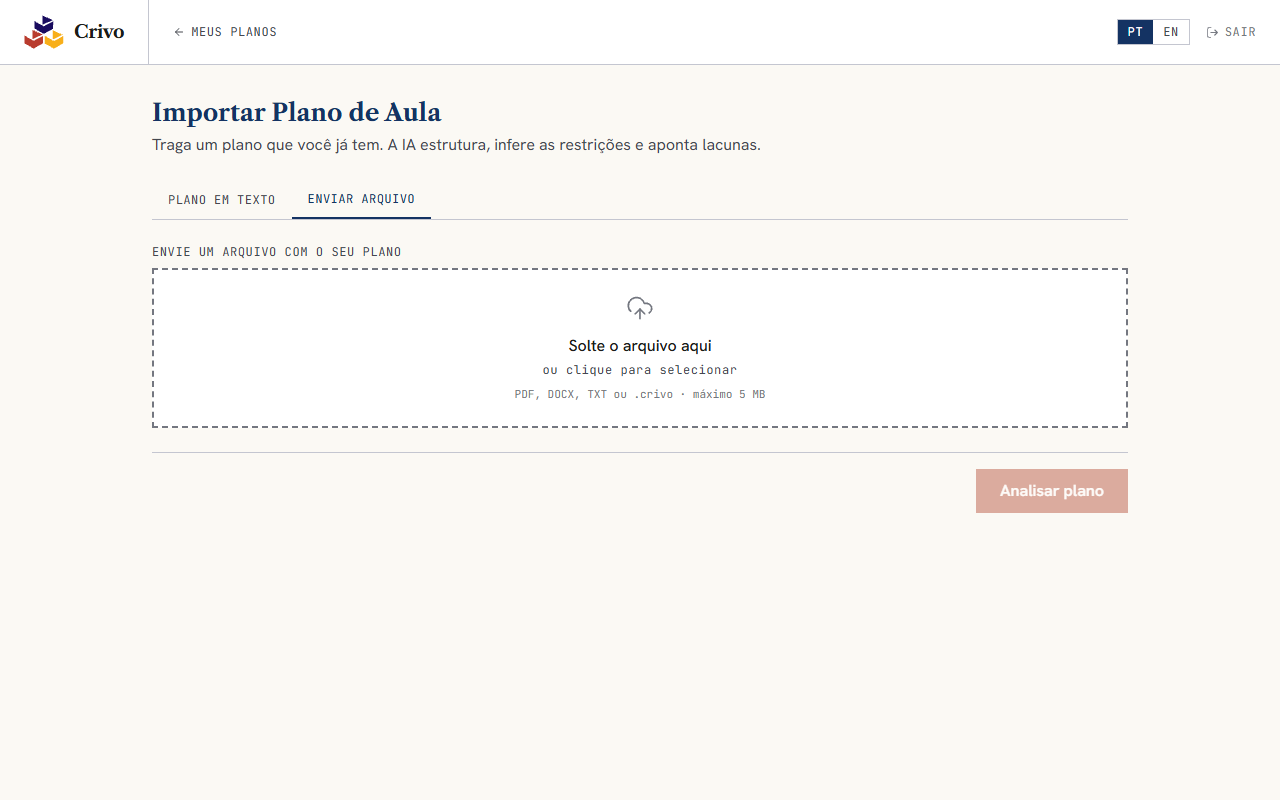
On the “Import plan” page, you select the file. The system parses the document and returns the extracted text. You check whether the reading is correct before proceeding to the full import.
Import pipeline
With the text confirmed, two processes run in parallel:
- Plan extractor: reads the document and identifies objectives, activities, assessment, materials, duration
- Constraint inferrer: analyzes the text to deduce the class profile, required resources, and application conditions
The two results are combined into a single representation of the plan, delivered at once.
Gap analysis
Crivo compares what was extracted against the expected structure of a complete plan. It points out what is present and what is missing: BNCC objectives, assessment criteria, detailed materials. The result is a direct report: “Your plan has activities and duration, but does not declare BNCC objectives or assessment criteria.”
Review and editing
With the analysis ready, you can edit each field of the imported plan: add missing objectives, adjust activities, complement the assessment. The plan is available in your library like any plan created from scratch, going through the same specialist review and export steps.
Ready to create your first plan?
Start free